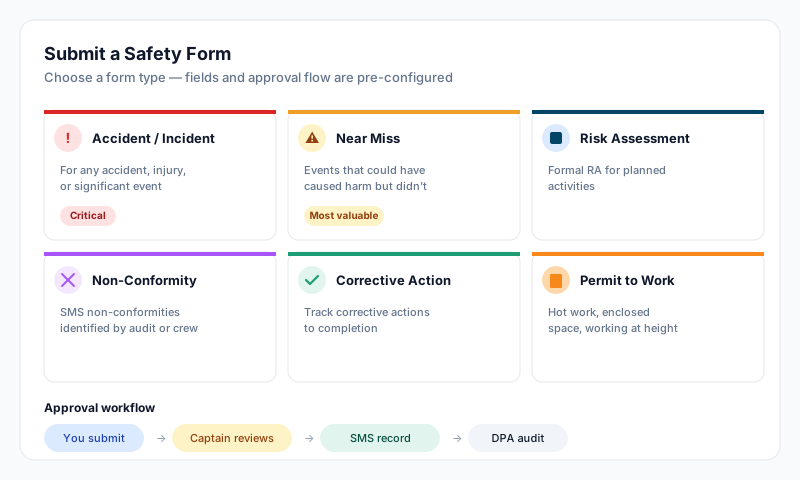
The Safety module has 15 subsections — SMS Forms is the central place for the standard ISM Code forms used to record observations, incidents, handovers, and meetings. Risk Assessments, Permits to Work, and crew Familiarisation forms each have their own dedicated subsection — see the relevant guides for those.
Where to Find It
- •From the dashboard, open the Safety module
- •In the safety sidebar, click SMS Forms
The page lists all available form types grouped into Corrective Action and Safety, with submission stats and a recent forms list at the bottom.
Available Form Types
Corrective Action Forms
These document and track findings that need follow-up action. They roll up into the Corrective Action Tracker.
- •Condition of Class — class society findings to track to closure
- •Observation — safety and operational observations
- •Deficiency — deficiencies requiring corrective action (often PSC findings)
- •Defect — equipment or system defects
- •Security Defect — ship security and ISPS shortfalls requiring correction
- •Defective Critical Equipment — critical equipment failures requiring immediate attention
- •Non Conformity — SMS non-conformities and their corrective actions
Safety Forms
- •Accident & Dangerous Occurrence Report — investigation report for accidents and dangerous occurrences
- •Near-Miss Report — events that had the potential to cause harm but didn't
- •Hazardous Occurrence Report — hazardous situations or dangerous conditions posing significant risk
- •Master's Handover Checklist — change-of-master handover procedures
- •Chief Engineer's Handover Checklist — change-of-chief-engineer handover procedures
- •Safety and Environmental Health Inspections — inspection observations and recommendations
- •Toolbox Talk Record — pre-job safety briefing and attendance documentation
- •Safety Meeting Minutes — safety committee minutes and action items
- •HESS Meeting Report — Health, Environment, Safety & Security committee minutes
How to Submit a Form
- •Open Safety → SMS Forms
- •Click the form type you want to submit (or + New on a form type row)
- •Fill in the required fields — these vary by form, but commonly include date, location, vessel position, people involved, description, and root cause
- •Attach photos or supporting documents where relevant (most forms support file attachments)
- •Save as a draft to come back later, or Submit to send for review
Status Flow
Submitted forms move through these statuses (exact set depends on the form):
- •Open / In Progress — being prepared, not yet submitted
- •Saved for Review / In Review — submitted and awaiting review
- •Reviewed — initial reviewer has signed off
- •Completed / Approved — final sign-off; for some forms this requires DPA approval (status: DPA Approved or Signed Off)
The reviewer is typically the captain or DPA depending on the form type. Once a form reaches a completed status, it becomes part of the vessel's permanent SMS record and is read-only.
Tips
- •Near-miss reports are the most valuable safety tool — report them without fear of blame; they prevent the accident that would otherwise happen
- •Take photos at the time of the incident — they are essential evidence and PSC inspectors expect to see them
- •The DPA reviews safety forms as part of the ISM audit process — accurate, timely reporting is what the system is designed to enable
- •Use the right tool: Risk Assessments go under their own subsection, Permits to Work under theirs, Familiarisation under Crew → Familiarisation
- •The Corrective Action Tracker rolls up every Corrective Action form type into a single dashboard view so you can see open items across categories